
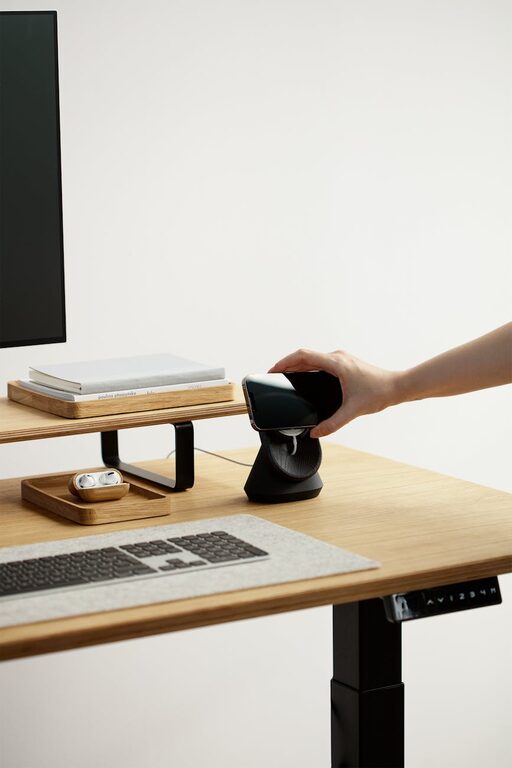
Creating a relaxing home workspace is essential for maintaining productivity and well-being, especially if you spend long hours working from home. A well-designed workspace not only helps you focus but also reduces stress and encourages a balanced work routine. In this post, we’ll explore actionable tips to create a calming, efficient workspace tailored to your needs.
Why a Relaxing Workspace Matters
Your environment has a significant influence on your mindset and performance. A cluttered, noisy, or uncomfortable workspace can distract you and make work feel overwhelming. Conversely, a relaxing workspace promotes clarity, motivation, and creativity — key ingredients for getting things done effectively.
Choose the Right Location
Find a Quiet Spot
Select a space in your home that is free from distractions like loud noises, foot traffic, or household activities. If you don’t have a dedicated office room, consider corners in less-used rooms or a quiet nook.
Natural Light is Your Friend
Position your desk near a window if possible. Natural light boosts mood and energy levels while reducing eye strain. If daylight isn’t an option, invest in soft, adjustable lighting that mimics natural light.
Invest in Comfortable and Functional Furniture
Ergonomic Chair and Desk
Comfort is critical for long hours at your desk. An ergonomic chair supports your posture and reduces back pain. Pair this with a desk at the right height to prevent strain on your wrists and shoulders.
Declutter with Storage Solutions
Use shelves, drawers, or storage bins to keep your workspace tidy. A clutter-free area helps maintain focus and contributes to a calming atmosphere.
Personalize Your Space Without Overcrowding
Adding personal touches can make your workspace feel inviting and motivating. Consider:
– A few framed photos or artwork that inspire you
– A small plant to bring nature indoors and improve air quality
– A favorite mug or stationery set
Be mindful not to overcrowd your desk, as too many items can become distractions.
Optimize for Focus and Calm
Use Calming Colors
Choose soft, neutral colors like blues, greens, or pastels for your walls and accessories. These shades are scientifically linked to calmness and can help reduce anxiety.
Incorporate Natural Elements
Wooden furniture, stone accents, or plants can create a soothing atmosphere. Even a simple vase of fresh flowers can brighten your day.
Minimize Noise
If external noise is a problem, consider noise-canceling headphones or white noise machines to maintain concentration.
Maintain Good Air Quality
Poor air quality can cause headaches and fatigue. Open windows when possible to circulate fresh air. Adding a small air purifier or certain houseplants can also help improve the air you breathe.
Establish a Routine and Boundaries
Create signals that transition you into and out of work mode. This could be:
– Starting work at the same time every day
– Keeping your workspace exclusively for work to strengthen mental association
– Closing your laptop and tidying your desk at the end of the day
Boundaries help protect your downtime and reduce burnout.
Use Technology Wisely
Screen Positioning
Place your computer screen at eye level about 20-30 inches away to avoid neck strain and eye fatigue.
Limit Digital Distractions
Use apps or browser features that block distracting websites during work hours. Turning off unnecessary notifications helps maintain your focus.
Take Breaks and Move
Even in the most relaxing workspace, sitting for prolonged periods is unhealthy. Schedule short breaks to stretch, walk, or practice deep breathing. This refreshes your mind and body, helping you stay productive longer.
Keep It Clean and Fresh
Regularly dust and wipe surfaces to maintain a clean workspace. A fresh environment can uplift your mood and prevent allergens.
—
By implementing these tips, you can transform a simple corner of your home into a relaxing, productive workspace. Remember, the best workspace fits your personal preferences and needs — don’t hesitate to experiment and adjust until you find what works best for you.