
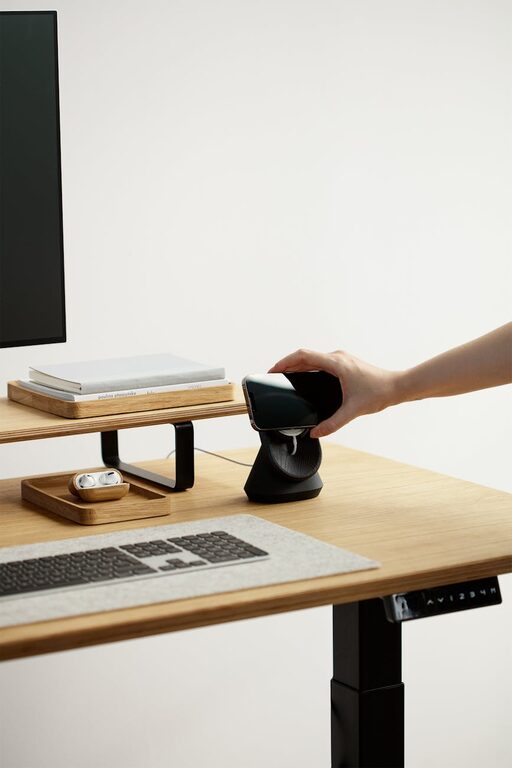
Creating a home office space that feels comfortable and helps you stay productive can greatly improve your work-from-home experience. Whether you have a dedicated room or just a small corner, setting up the right environment is key to maintaining focus and reducing stress. This guide offers practical tips to help you design a workspace that fits your needs and lifestyle.
Choose the Right Location
Selecting the best spot for your home office is the first step. Ideally, this should be a quiet area with minimal distractions.
– Natural Light: Position your desk near a window to take advantage of natural light. This can boost your mood and help reduce eye strain.
– Privacy: Try to find a space where you won’t be interrupted by household noise or traffic.
– Access to Power Outlets: Ensure there are enough outlets nearby for your computer, lamp, and other devices.
If space is limited, even a small nook or a section of a room can be transformed into an effective workspace.
Invest in Ergonomic Furniture
Comfort is crucial for long work hours. Ergonomic furniture supports your body properly, preventing aches and fatigue.
– Chair: Choose an adjustable office chair with good lumbar support. Your feet should rest flat on the floor, and your knees should be at a 90-degree angle.
– Desk: Pick a desk with enough surface area for your essentials without cluttering your space. Height should allow your elbows to sit comfortably at your sides.
– Keyboard and Monitor Height: Use a keyboard tray or adjustable stands so your wrists stay straight, and position your monitor at eye level to avoid neck strain.
If standing desks or sit-stand converters fit your style, they can add variety and reduce sedentary time.
Organize Your Workspace Efficiently
An organized desk helps keep your mind clear and tasks manageable.
– Declutter Regularly: Keep only what you need within arm’s reach. Store other items in drawers or shelves.
– Use Storage Solutions: Invest in filing cabinets, desk organizers, or baskets to keep papers and supplies tidy.
– Digital Organization: Manage your digital files systematically to save time looking for important documents.
Labeling containers and files can also speed up finding things and maintaining order.
Pay Attention to Lighting
Proper lighting reduces eye strain and creates a welcoming atmosphere.
– Layer Your Lighting: Combine natural light with overhead lights and a desk lamp to avoid harsh shadows.
– Choose Warm Bulbs: Lamps with soft white or warm light are easier on the eyes and create a cozy vibe.
– Adjustable Lighting: Use dimmable lamps or blinds to control the brightness depending on the time of day.
Avoid placing your monitor in front of or behind a window, which can cause glare.
Personalize Your Space
Adding personal touches can make your home office feel inviting without distracting you.
– Plants: Small indoor plants improve air quality and add a calming effect.
– Artwork: Hang inspirational or calming art that motivates you.
– Colors: Use soothing colors like blues or greens, or energizing colors like yellow, depending on your preference.
Keep personalization balanced to maintain a professional atmosphere.
Minimize Distractions
Creating boundaries between work and home life helps you focus.
– Set Clear Hours: Define your work hours to avoid overworking and help family members respect your schedule.
– Noise Control: Use noise-canceling headphones or white noise machines to drown out distractions.
– Limit Technology Interruptions: Turn off non-essential notifications and use apps to block distracting websites during work time.
If you have children or pets, consider discussing quiet hours or creating a kid-friendly play area nearby.
Maintain Good Air Quality and Temperature
A comfortable room temperature and fresh air support concentration.
– Ventilation: Open windows when possible to let in fresh air.
– Air Purifiers: Consider using an air purifier, especially in rooms that lack ventilation.
– Temperature: Keep your workspace between 68 to 72 degrees Fahrenheit (20 to 22 Celsius) for optimal comfort.
Adjust your clothing and use fans or heaters as needed.
Incorporate Technology Wisely
Use technology to enhance your work, but avoid letting it become a source of stress.
– Reliable Internet: A strong internet connection is essential for video calls and online research.
– Quality Equipment: Invest in a good headset, webcam, keyboard, and mouse to improve your workflow.
– Cable Management: Use clips or covers to keep cables organized and prevent tangling.
Regularly update your software and backup important data.
Take Breaks and Move
Productivity improves when you take regular breaks.
– Pomodoro Technique: Work for 25 minutes, then take a 5-minute break to rest your eyes and stretch.
– Physical Activity: Stand up, walk around, or do light exercises to prevent stiffness and boost energy.
– Eye Care: Follow the 20-20-20 rule—every 20 minutes, look at something 20 feet away for 20 seconds.
Make sure your space invites movement and comfort during these breaks.
—
Crafting a home office that supports both comfort and productivity is achievable with a bit of planning and organization. By choosing the right location, investing in ergonomic furniture, keeping your space tidy, using appropriate lighting, and managing distractions, you can create an environment that helps you do your best work from home. Personalizing your space and taking care of your well-being will further enhance your daily experience. With these tips, your home office can become a place where productivity and comfort thrive side by side.