
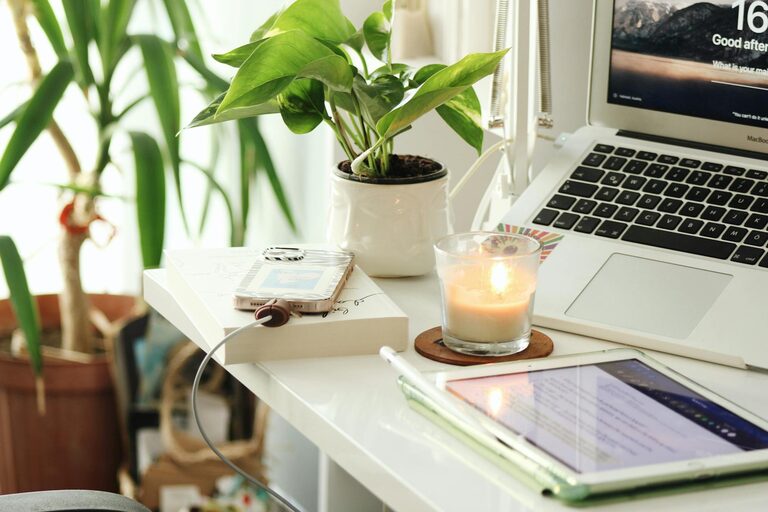
Creating a home office that is both cozy and productive can greatly improve your work-from-home experience. Whether you spend a few hours a day or full days working from home, the right environment can boost your focus, creativity, and overall well-being. This guide offers practical tips to help you design a workspace that feels inviting and supports your productivity.
Choose the Right Location
Assess Your Space
Start by selecting a spot with enough room for your desk, chair, and any tools or equipment you need. Ideally, pick a quiet corner or a room with minimal distractions. Natural light is a bonus, as it enhances mood and alertness.
Consider Privacy and Noise Levels
If your household is busy, try to choose an area where you can close a door or use noise-cancelling headphones when necessary. This helps create a focused environment even amidst household activities.
Invest in Comfortable and Ergonomic Furniture
Desk and Chair Selection
A sturdy desk at the right height makes working easier and prevents discomfort. An ergonomic chair with good lumbar support reduces the risk of back pain during long work hours.
Personalize Your Setup
Adjust your monitor so the top is at eye level to avoid neck strain. Use keyboard trays or wrist rests if needed to maintain good posture and comfort.
Optimize Lighting
Make the Most of Natural Light
Place your desk near a window to enjoy daylight, which can improve your energy and mood. Avoid glare on your screen by positioning your monitor perpendicular to the window.
Use Task Lighting
Add a desk lamp with adjustable brightness to provide focused light during late hours or on cloudy days. Warm light tones can create a cozy atmosphere without straining your eyes.
Declutter and Organize
Keep Essentials Within Reach
Arrange your most-used items like pens, notebooks, and chargers nearby. Use organizers, trays, or drawers to limit clutter.
Establish Digital Order
A clean physical space is complemented by an organized digital workspace. Manage files and emails consistently to reduce stress and save time.
Add Personal Touches
Decorate Thoughtfully
Include elements that inspire and comfort you such as plants, artwork, or motivational quotes. Personal touches can improve your mood and creativity.
Incorporate Soothing Colors
Choose colors proven to aid concentration and calm, like soft blues, greens, or neutrals. Avoid overly bright or distracting patterns near your work area.
Manage Noise and Distractions
Use Sound Solutions
Consider white noise machines, soft background music, or noise-cancelling headphones to block out distractions.
Set Boundaries
Communicate your work hours to household members and create signals for when you should not be interrupted.
Maintain Healthy Habits
Take Regular Breaks
Step away from your desk periodically to stretch, hydrate, or rest your eyes. This helps prevent fatigue and increases productivity.
Create a Routine
Develop a consistent schedule to start and end your workday, helping maintain work-life balance while fostering productivity.
Utilize Technology Wisely
Choose Tools That Boost Efficiency
Select user-friendly software and apps for task management, communication, and time tracking. Avoid overwhelming yourself with too many platforms.
Ensure Reliable Connectivity
A strong internet connection is essential. Consider upgrading your router or using Wi-Fi extenders if needed.
—
Designing a cozy and productive home office is about balancing comfort, functionality, and personalization. By implementing these tips, you’ll create a space that not only supports your work but also feels like a welcoming part of your home. A well-planned office can make working from home a more enjoyable and successful experience.