
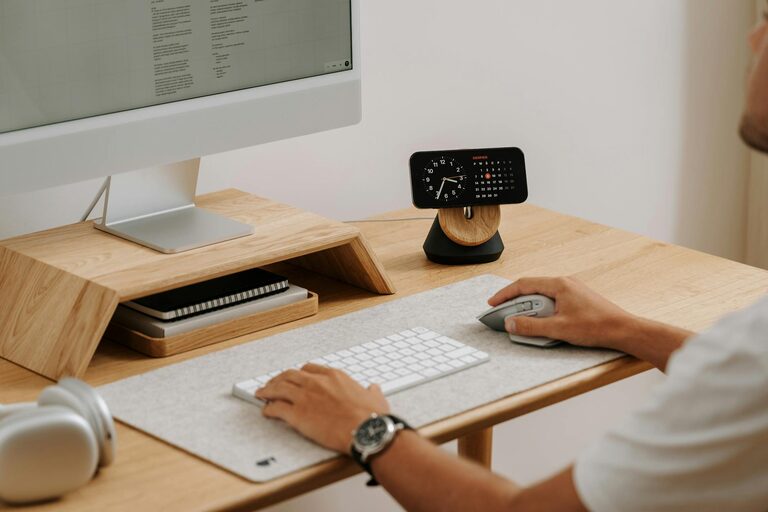
Working from home has become more common, and having a dedicated, productive home office environment can make all the difference in your daily work routine. Whether you’re new to remote work or want to improve your current setup, creating a space that supports your focus and comfort is essential. Here are several tips to help you design a home office that encourages productivity and wellbeing.
1. Choose the Right Location
The first step is to select a spot in your home that can serve as your office space. Ideally, find a quiet corner or separate room where you can minimize distractions.
– Natural light: Choose an area with access to natural light. It helps reduce eye strain and boosts your mood.
– Quiet environment: Avoid high-traffic areas to limit noise disruptions.
– Space: Ensure there is enough room for your desk, chair, and other necessary equipment without feeling cramped.
2. Invest in Comfortable, Ergonomic Furniture
Long hours in the wrong chair or at an uncomfortable desk can lead to discomfort and reduced productivity.
– Ergonomic chair: Pick a chair that supports good posture, with adjustable height and backrest.
– Desk height: Your desk should allow your arms to rest at a comfortable 90-degree angle while typing.
– Standing options: Consider a sit-stand desk or a converter to alternate between sitting and standing during the day.
3. Organize Your Workspace Efficiently
A tidy and well-organized office helps you find what you need quickly and minimizes distractions.
– Declutter regularly: Remove unnecessary items and keep only essential tools on your desk.
– Storage solutions: Use shelves, drawers, or filing systems to keep documents and supplies organized.
– Cable management: Arrange cords neatly using clips or cable organizers to avoid tangles.
4. Optimize Lighting
Proper lighting is key for reducing eye strain and maintaining focus.
– Layer light sources: Combine natural light with overhead lighting and task lamps.
– Avoid glare: Position your computer screen to prevent reflections and glare from windows or lights.
– Adjust brightness: Use adjustable lamps or dimmers to control light levels based on the time of day.
5. Use Technology to Your Advantage
Having the right technology and keeping it organized improves workflow and reduces frustration.
– Reliable internet: Ensure you have a stable and fast internet connection to support video calls and online work.
– Dual monitors: If your work involves multitasking or large documents, consider setting up two monitors.
– Headphones or speakers: Use noise-canceling headphones if needed to block out distractions.
6. Personalize Your Space
Adding personal touches to your office can make it a more inviting and motivating place.
– Plants: Include some greenery to improve air quality and create a calming atmosphere.
– Artwork or photos: Decorate with inspiring images or personal photos to boost your mood.
– Colors: Use colors that help you feel focused or relaxed—blue and green tones are often recommended.
7. Establish Boundaries
To stay productive, it’s important to separate your work life from your home life.
– Set work hours: Decide on specific hours to start and end your workday.
– Physical boundary: If possible, close the door or use a room divider to mark your office space.
– Communicate with others: Let family members or housemates know your schedule to reduce interruptions.
8. Maintain Good Habits
Even the best space needs good habits to sustain productivity.
– Take breaks: Follow the 20-20-20 rule—every 20 minutes, look at something 20 feet away for 20 seconds to reduce eye strain.
– Move regularly: Stand up, stretch, or take short walks to keep energy levels up.
– Stay hydrated and nourished: Keep water and healthy snacks nearby to maintain focus.
9. Keep Your Workspace Clean
A clean workspace helps reduce stress and promotes a clear mind.
– Daily tidying: Take a few minutes at the end of each day to tidy your desk.
– Deep cleaning: Regularly dust surfaces and clean your keyboard, monitor, and mouse.
Conclusion
Creating a productive home office environment doesn’t require a large investment or a professional setup. With thoughtful planning and simple adjustments, you can design a workspace that enhances your focus, comfort, and motivation. Whether it’s choosing the right location, improving lighting, or personalizing your space, these tips will help you make the most of your remote work experience.